What MCP is and what to have ready before connecting your ERP to an AI
MCP is the standard that lets an AI operate on your ERP. What it is, where it breaks in practice and what to have ready before you connect it.
This month, a Colombian ERP announced that its customers will be able to ask an AI about their own data by voice or text, using MCP. Alegra presented it on September 16, still in early access and by invitation only. It is one vendor, but it shows where the market is heading: MCP, the open standard that connects an AI to a company’s systems, is no longer something only developers deal with. It is reaching the ERPs that small and mid-sized businesses actually use.
For someone running a mid-sized company, the useful question is not whether their ERP will end up talking to an AI. It is what that AI will answer when someone asks it, “how many active customers do we have?”
What is MCP and why does it matter for an ERP?
MCP stands for Model Context Protocol. It is an open protocol that defines how an AI application connects to an external system: an ERP, a database, a CRM, a document manager. Anthropic introduced it in late 2024 and, in December 2025, donated it to the Agentic AI Foundation, a Linux Foundation fund co-founded by Anthropic, Block and OpenAI. Today it is supported by ChatGPT, Claude, Gemini and Microsoft Copilot, among others, and as of December 2025 there were already more than 10,000 active MCP servers.
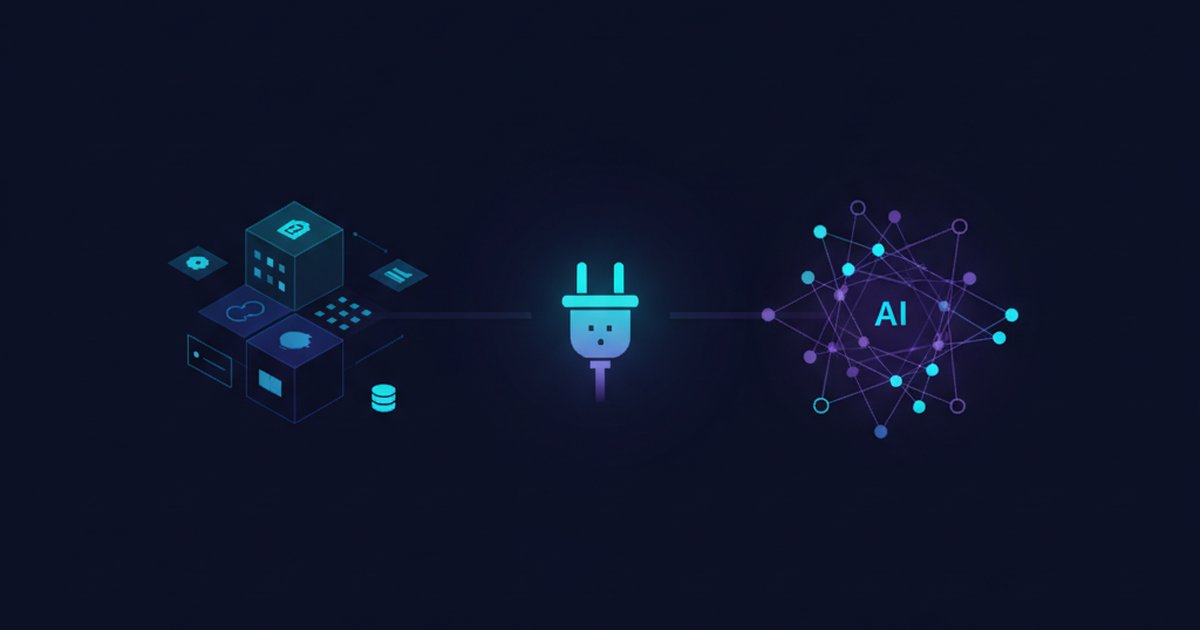
The simplest way to picture it is as a standard plug. Before, connecting an AI to a system meant a custom integration for every pair of tools. With MCP, the system publishes a kind of menu — an MCP server — and any compatible AI can read it. That menu contains three kinds of things:
- Tools: operations the AI can run, such as “look up a customer’s invoices” or “add a document.”
- Resources: data it can read, such as a catalog or a report.
- Prompts: predefined instructions for frequent tasks.
One detail gets overlooked: the AI does not “walk into” your ERP and do whatever it likes. It can only do what someone put on that menu. And deciding what goes on the menu, and how, is where projects tend to break.
What changes when an AI can operate on your ERP?
Today, when management wants to know how much was sold per product line last quarter, someone opens a module, downloads a report, adjusts it in a spreadsheet and sends it over. With a connected AI, that same person types the question and gets the answer in seconds. And it is not just questions: if the menu includes write operations, they can also ask it to create a record, attach a document or correct a field.
Two things change at once. Access to the data opens up to many more people, because you no longer need to know how to navigate the ERP. And the AI starts doing things, not just answering. Each of those brings its own problem.
Where does it break in practice?
There are four points where these projects go sideways. None of them has to do with how well the model “understands.”
1. Access is not the same as knowing how to perform the operation
When we connected Claude to one of our own systems through MCP, connecting was the easy part. The hard part was getting it to perform the operations correctly. We asked for something as simple as adding a document or editing a specific field, and it had no clear way to do it right. What solved it was not a better prompt: it was building one concrete tool for each type of operation we needed, with what it receives and what it returns clearly defined. Once each operation had its own tool, it stopped improvising.
Anthropic, which created MCP, reaches a similar conclusion in its guide to designing tools for agents (September 2025). It recommends against turning every API endpoint into a loose tool and suggests consolidating operations around concrete tasks. It asks that tools return readable information instead of internal identifiers, that errors explain how to correct the usage, and that everything be tested against realistic tasks before it is considered good.
In other words: the list of operations is the design. An ERP with “access to everything” is not more powerful; it is less precise.
2. Every department defines “active customer” its own way
Picture a distributor with 400 customers in its ERP. Sales counts as active anyone who bought in the last twelve months; finance, anyone with an invoice in the last ninety days; operations, anyone who had a shipment this quarter. It is a hypothetical example, but the pattern is real: you ask the AI how many active customers you have and it answers 312 with complete confidence; finance says 268. Both numbers are correct under a definition nobody wrote down.
The AI will not resolve that discrepancy. It will pick one definition — whichever it finds in the data or in the way you phrased the question — and answer it without hesitation.
A related problem is what dbt Labs describes (September 24, 2026) as context engineering: using the same data-modeling practices to prepare the context AI agents need — documents, tickets, emails — as a governed, versioned product connected to a semantic layer. Their starting point is useful: they argue you can begin with the AI functions data warehouses already include, without standing up separate infrastructure. If your company does not have a data warehouse yet, the principle still holds: written, agreed-upon definitions are the first step, before any tool.
3. If the data has errors, the AI repeats them with more confidence
An AI connected to an ERP does not clean your data; it reads it as it is. If two reports from the same business give different figures today, the AI will give one of them — or a third — in a confident tone. The Impacto TIC article on ERPs with AI in Colombia, which quotes Alegra’s head of product, acknowledges it: models depend on structured, error-free data.
We covered this from another angle in 70% of companies in Colombia aren’t ready for AI and in the report the AI generates looks flawless: a result that looks good does not prove it is correct.
4. Nobody decided what can change and who approves it
Reading is one thing; modifying is another. An AI that can create an invoice, edit a customer or move inventory needs rules: which operations are read-only, which modify data, which require a person’s approval, and how a record of what was done gets kept. Impacto TIC lists four minimum safeguards worth taking seriously: access control, encryption, traceability of every operation and human oversight of sensitive operations. In Colombia there is also compliance with DIAN electronic invoicing whenever the AI touches tax documents.
What should you have ready before connecting your ERP to an AI?
Five layers, each with a question you should be able to answer today:
| Layer | The question you should be able to answer | If you can’t |
|---|---|---|
| Operations | Which ten operations do I really need the AI to perform? | You will grant general access and results will be unpredictable |
| Definitions | What does each of my ten key metrics mean, in writing? | The AI will pick a definition and answer confidently, even if another department uses a different one |
| Data quality | Which rules check that a piece of data arrived correctly before anyone uses it? | Errors that already exist will be repeated in a confident tone |
| Permissions | Which operations only read and which modify data? Who approves the latter? | An AI mistake becomes a real change with no owner |
| Testing | Do I have twenty questions with known answers to check what it says? | You won’t know whether it works; you will only know it answers quickly |
Where to start this week
A minimal version that requires buying nothing:
- Write down the ten operations you want, the way you would say them out loud: “find a customer’s overdue invoices,” “attach a document to an order.” Mark which ones only read and which modify data.
- Write the definition of your ten key metrics and have finance and sales sign off on them. If they can’t agree, you have just found the first problem.
- Start read-only. Operations that modify data come later, one at a time, with human approval at first.
- Prepare twenty questions whose answers you already know, compare them with what the AI answers and note the errors. Repeat whenever the model or the ERP changes.
- Keep a log of every operation the AI runs: who asked for what, what it did and what it returned.
This exercise also works if your ERP does not support MCP yet: an MCP server can be built on top of the system’s API or database, with the operations you define.
Why do so many AI pilots never reach production?
The gap between using AI and seeing results has already been measured in Colombia. According to a HubSpot study using IDC data, covering 201 companies in the country, 82% already use AI to some degree and 66% have moved past the initial adoption phase, but only 12% can demonstrate a financial return. IDC attributes the gap to a shortage of specialized talent, the lack of defined operational roles and the difficulty of scaling: pilots work in a controlled environment and never consolidate into production processes.
The study does not mention MCP, but the gap looks like what we describe. The pilot works because someone looks after it by hand; scaling it demands what a pilot can skip: defined operations, agreed definitions, reliable data and owners with names. Connecting the AI to the ERP is the visible part of the work. What decides whether the project reaches production sits underneath.
When does it apply and when doesn’t it?
It applies when the team asks the ERP many repetitive questions and depends on someone building reports by hand, when the ERP already has an API or an MCP server, and when you can start read-only and measure the result with known-answer questions.
It does not apply — or not yet — in these cases:
- Your data is still scattered across spreadsheets and systems that don’t connect. Unify it first: the AI will only show the mess with better wording.
- What you need is three fixed reports that are always the same. A dashboard costs less and does not improvise.
- You are planning around features that don’t exist yet. The vendor feature we mentioned is in early access, not generally available.
- The AI would touch tax documents or payments without human approval or with compliance unresolved.
This week’s takeaway
Before connecting anything, write down the ten questions you would ask your ERP and, next to each one, the name of the person who could tell whether the answer is correct. If you can’t put a name next to one of them, you are not ready to connect it yet: there is a conversation pending first about what that figure means and who answers for it. That sheet works with MCP, with any other standard, and without AI.
Frequently asked questions
What is MCP in one sentence?
An open standard that lets an AI application use another system’s tools and data in a controlled way: the system publishes which operations it offers and the AI can only do those.
Is MCP only for Anthropic or Claude?
No. Anthropic created it, but it now sits under the Linux Foundation’s Agentic AI Foundation, co-founded by Anthropic, Block and OpenAI, and ChatGPT, Gemini and Microsoft Copilot support it in addition to Claude.
Is it safe to connect my ERP to an AI?
It depends on how it is designed, not on the standard. The minimum is to start read-only, grant permissions per user and per operation, require human approval for anything that modifies data and keep a log of every operation. Without that, an AI mistake becomes a real change.
Does my ERP need to support MCP to use AI?
Not necessarily. If the ERP has an API or an accessible database, an MCP server can be built on top of it with the operations you define. Having your vendor offer it out of the box helps, but it does not replace the work of deciding which operations, which definitions and which permissions.
Do I need a data lake before connecting an AI to my data?
Not to get started. You do need written definitions and reliable data. If your data lives in several systems that don’t connect, unifying it first usually saves you the problem of the number that changes depending on who you ask.
Sources
- Alegra ERP llega a Colombia con IA y conexión MCP (Tecnogus, September 16, 2026)
- ERP con Inteligencia Artificial en Colombia, ¿qué cambia en la gestión? (Impacto TIC, September 28, 2026)
- MCP joins the Agentic AI Foundation (Model Context Protocol blog, December 9, 2025)
- Writing effective tools for AI agents (Anthropic, September 11, 2025)
- Context engineering is already possible in your warehouse (dbt Labs, September 24, 2026)
- Empresas en Colombia adoptan IA, pero solo una minoría logra impacto financiero (Portafolio, 2026)
Want to connect an AI to your ERP without improvising? Tell us which system you use and let's talk for 20 minutes.
Book a 30-minute call, no commitment. We'll tell you how we can help you organize your data infrastructure.
Book a call →